
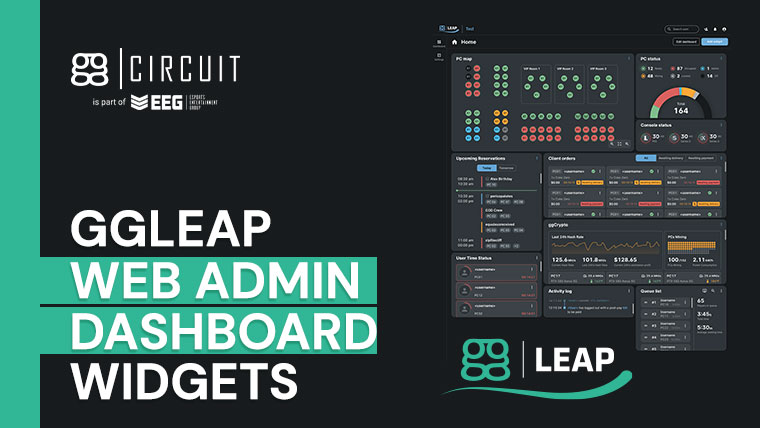
Don’t you wish that you could customize how the web admin shows details in the ggLeap administrator dashboard? What if you could display all the things you need on the same screen, so you do not have to navigate through menus?
ggCircuit is making this a reality in our latest ggLeap feature: Dashboard Widgets.
- ggLeap Dashboard Your Way
- How Can All of My Widgets Fit in the Dashboard?
- Dashboard Widget Types
- Just Another of the Many Features of ggLeap
ggLeap Dashboard Your Way
Traditionally, esports management software‘s dashboards have similar design features such as showing available computers, some buttons here and there to perform functions such as adding time to a customer’s account, and more. For the most part, they were very functional and convenient.
However, ggCircuit’s designers came up with an idea of why not let the user decide what to add instead of dictating what is there? This concept is the same as how users apply widgets to their smartphones for ease of use and better functionality. This new feature will allow admins to have even more control of their venue. Who says that only gamers can have a better user experience?
How Can All of My Widgets Fit in the Dashboard?
ggCircuit has opted to use a grid system in the new Dashboard for optimal placement of the widgets. The grid layout is three columns, and the number of rows will depend on the screen resolution.
Each widget also comes in several sizes and will have limitless placement options on the Dashboard. In addition, admins will be able to edit and delete widgets anytime.
Dashboard Widget Types
The ggLeap Dashboard will come with several widgets that admins can utilize according to their management needs. Widget settings can be accessed by clicking the ellipsis on the widget’s upper right-hand corner. Here’s a list of what you can expect:
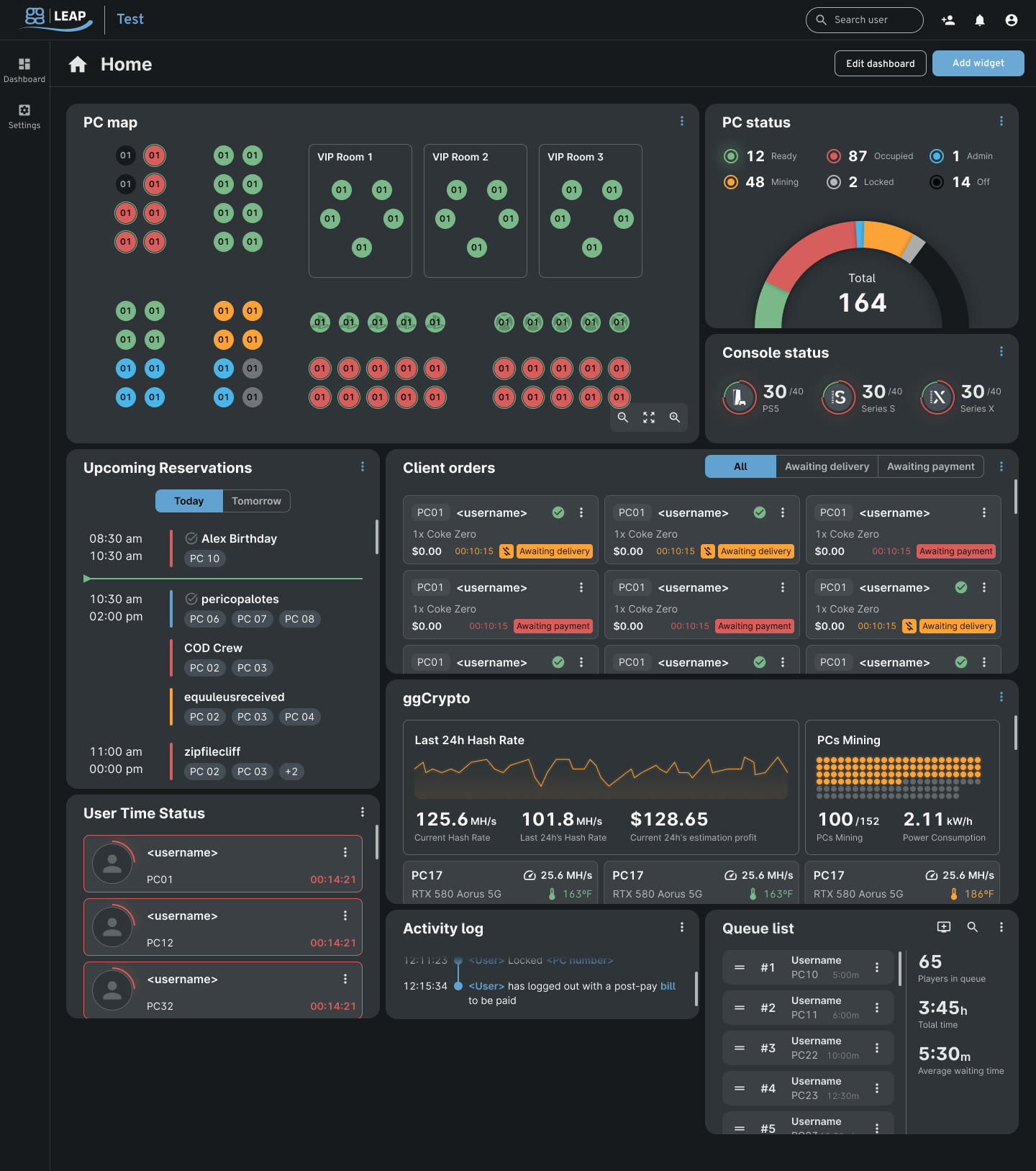
PC Map
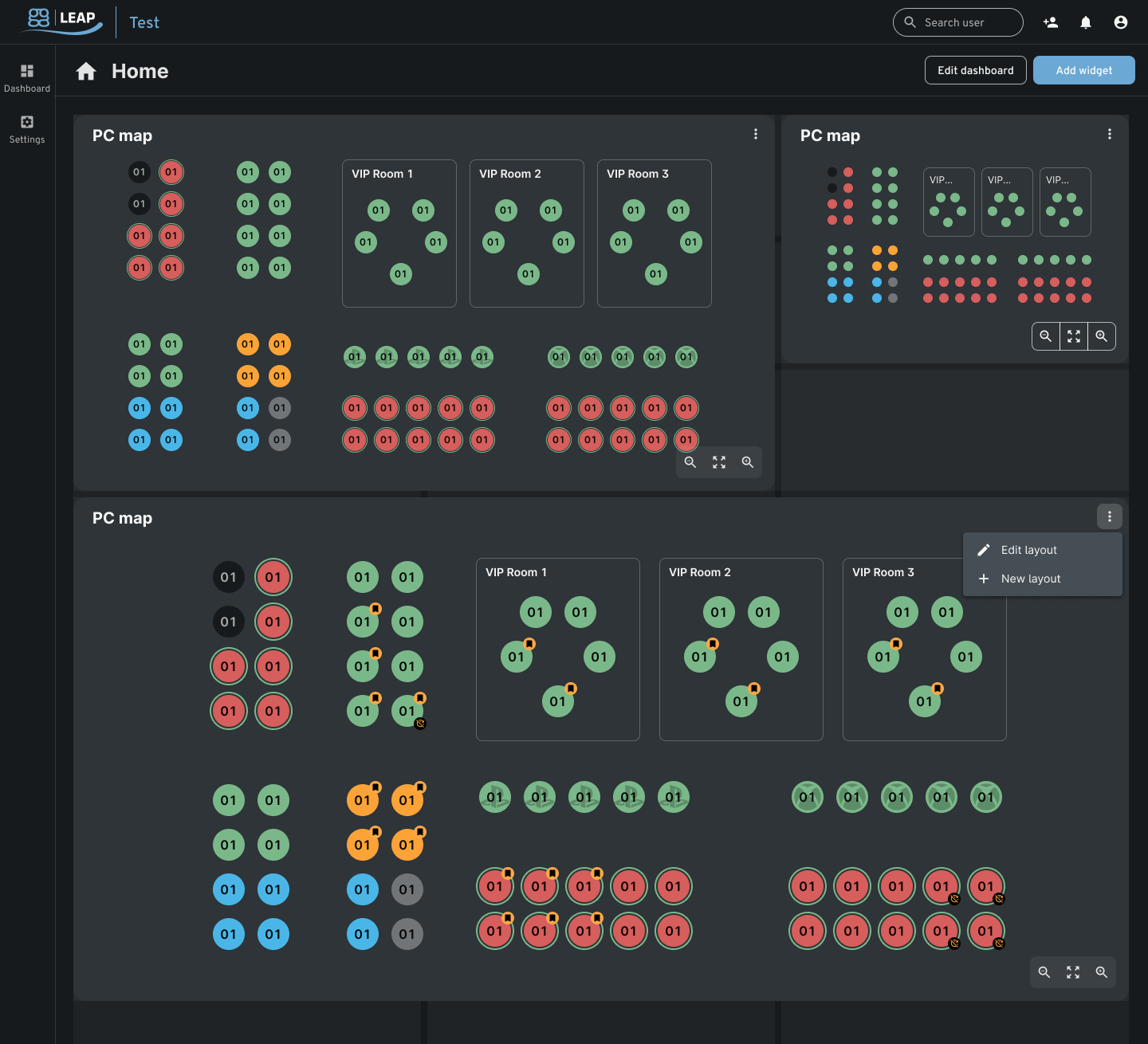
A widget that displays the PC layout graphically. Admins can customize each node according to its relative position in the esports venue. Rooms can also be added to the layout for better organization. The gauge around the node will determine a user’s remaining time.
Consoles Status
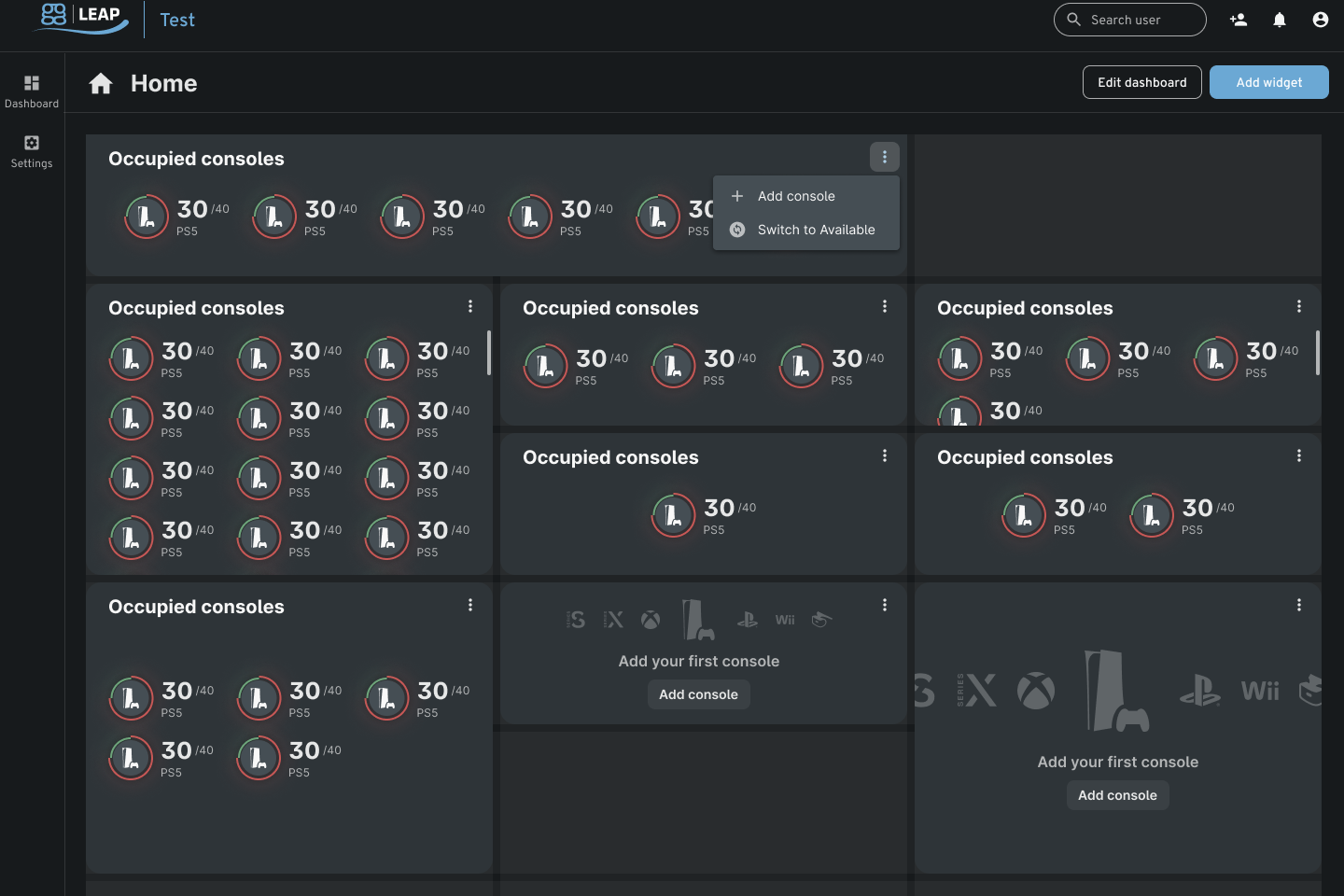
Console Status is where the admins can manage their consoles in their esports venues. However, unlike the PC map, consoles are only shown, and admins will have to toggle between “available” and “occupied” to view the respective list. A gamer’s time in an occupied console can be monitored by looking at the gauge around the node, similar to a PC node.
PC Status
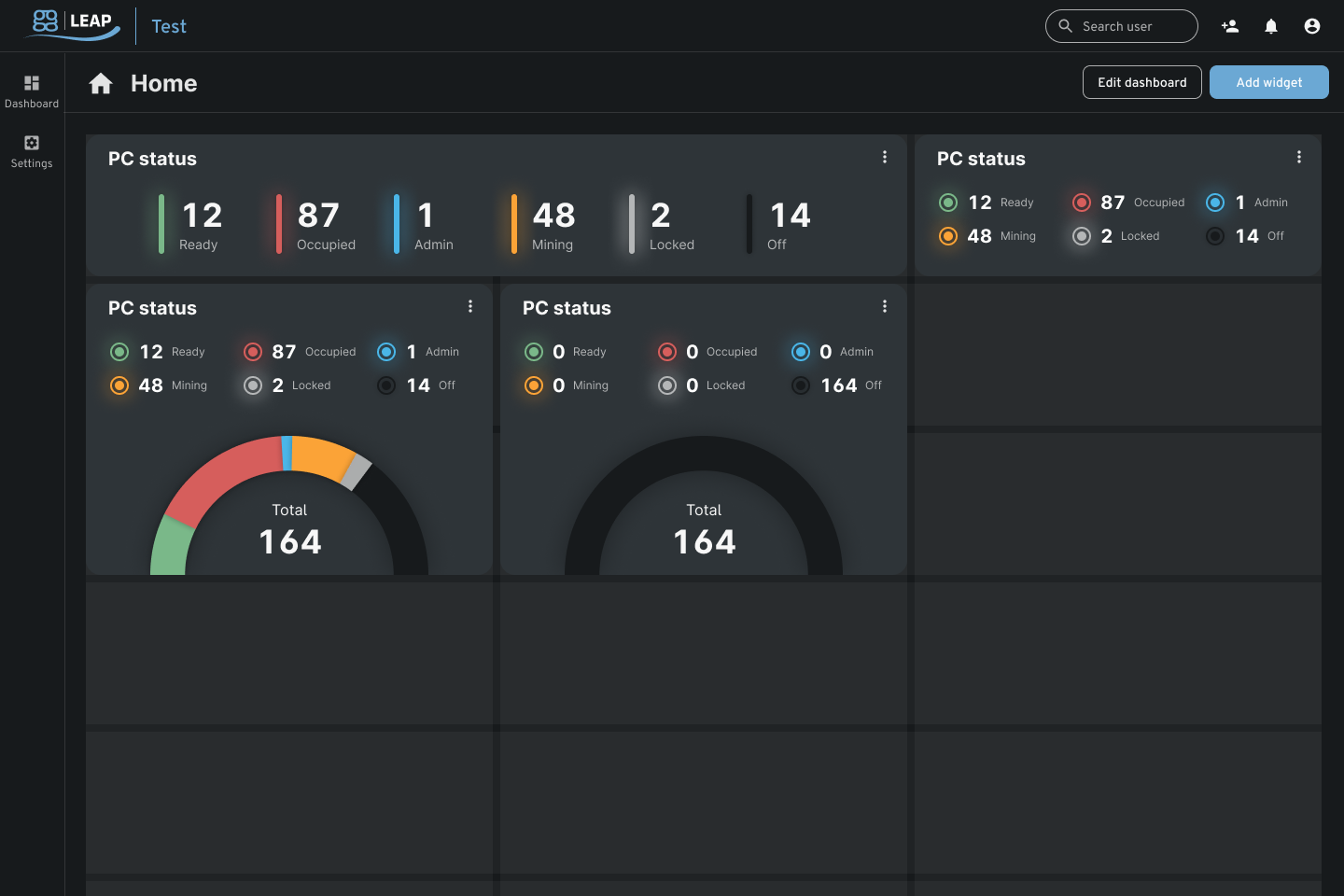
The PC status widget will show an admin or employee how many PCs are ready, occupied, in admin mode, are mining, locked, or off in one glance. Perfect for large venues with a high volume of customers.
Today’s Finances
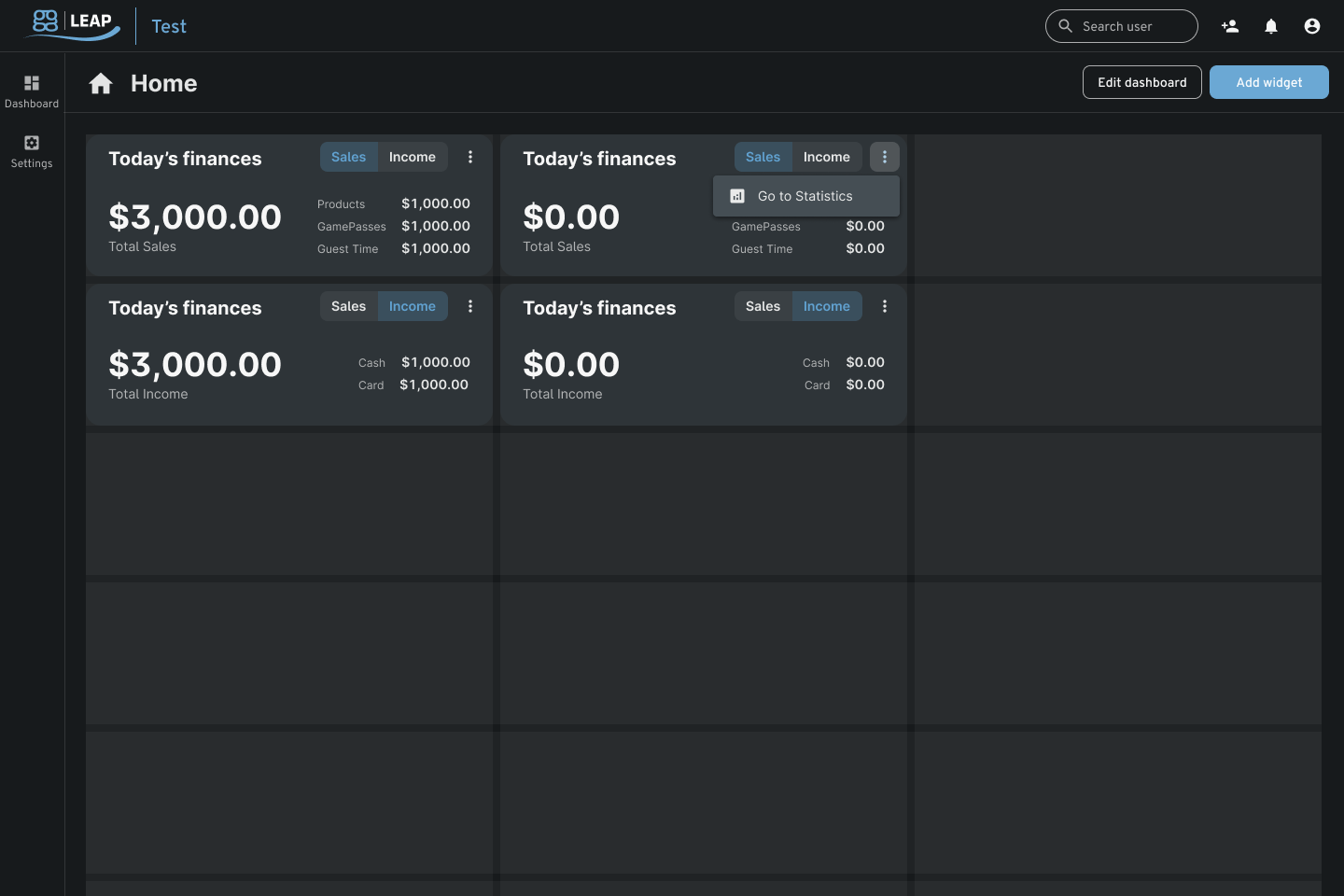
This little widget can show an admin an esports venue’s earnings at a glance. Sales will display earnings from categories such as products, game time, or guest users; Income, on the other hand, will show earnings from credit cards and cash, respectively.
This widget has only one size: 1 column x 1 row or one grid.
Activity Log
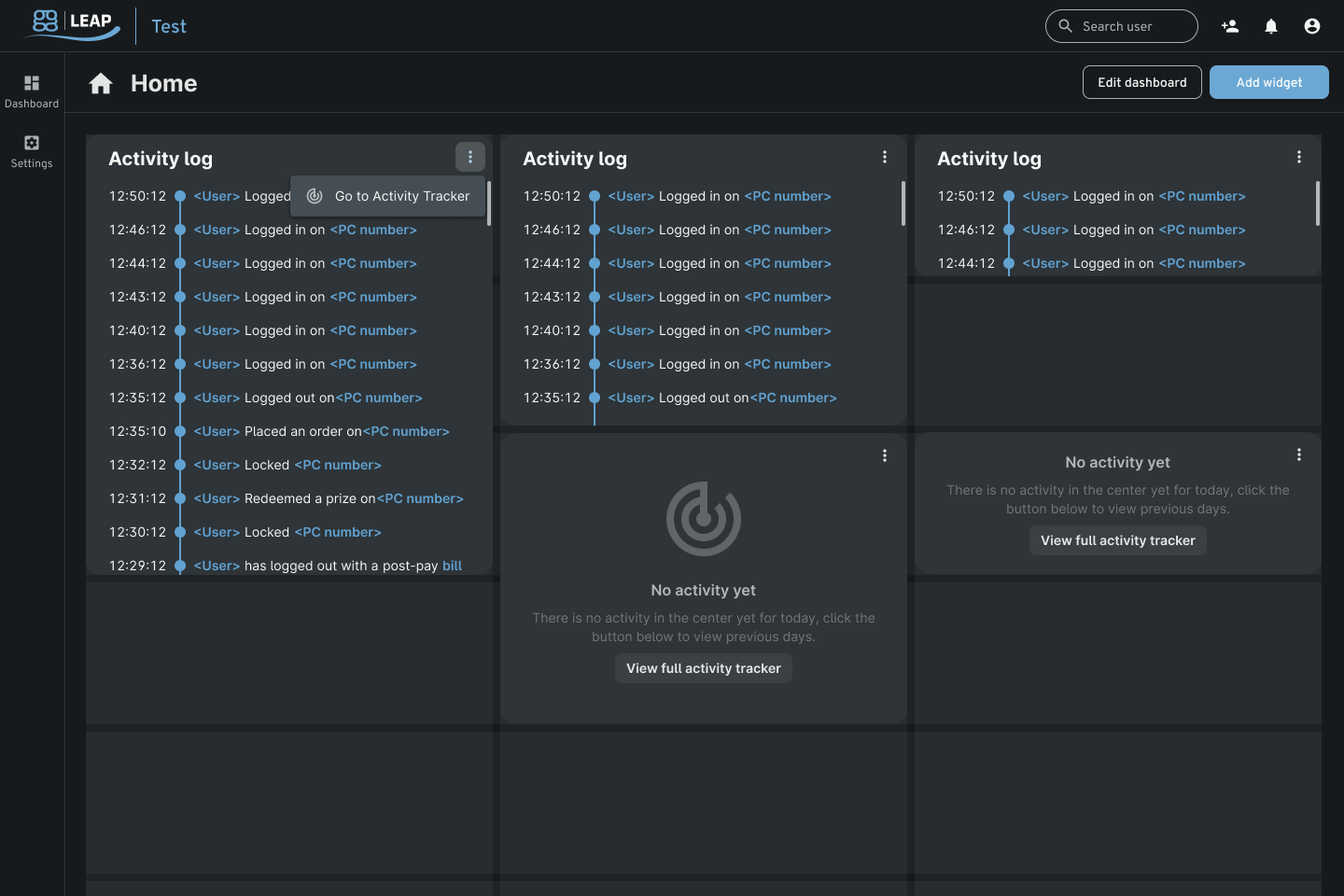
The Activity log will list the activity from the latest to the oldest. This widget only takes 1 column but can be expanded up to 3 rows of grids.
User Time Status
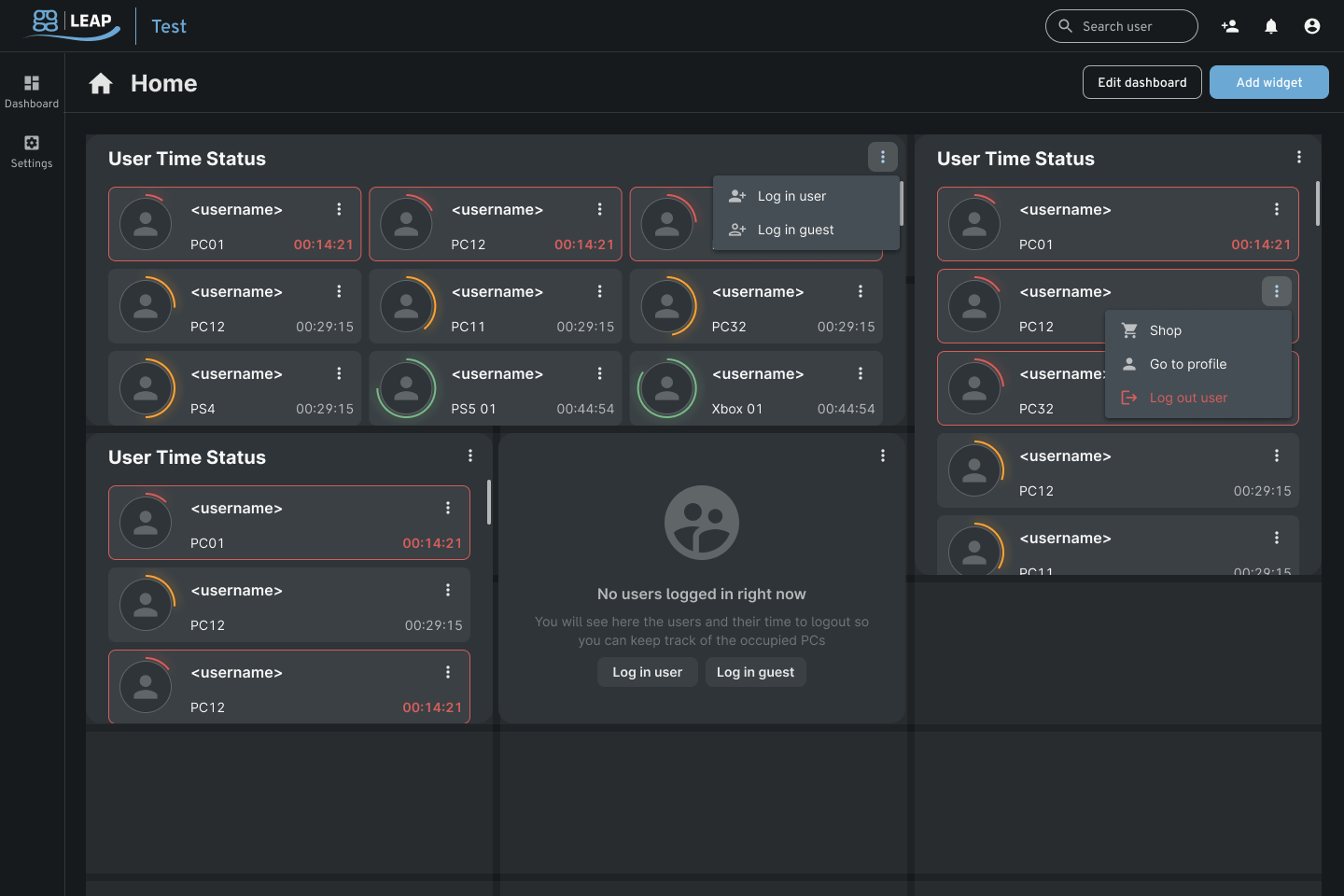
Admins that want to keep a close eye on users remaining time can opt to utilize this widget. User time status will list all gamers (each represented in a “user card”) logged in on a PC or console and show their remaining time.
The widget will list the user cards from the least to the most time left. Admins can also log in users and guests remotely or make shop transactions.
Upcoming Reservations
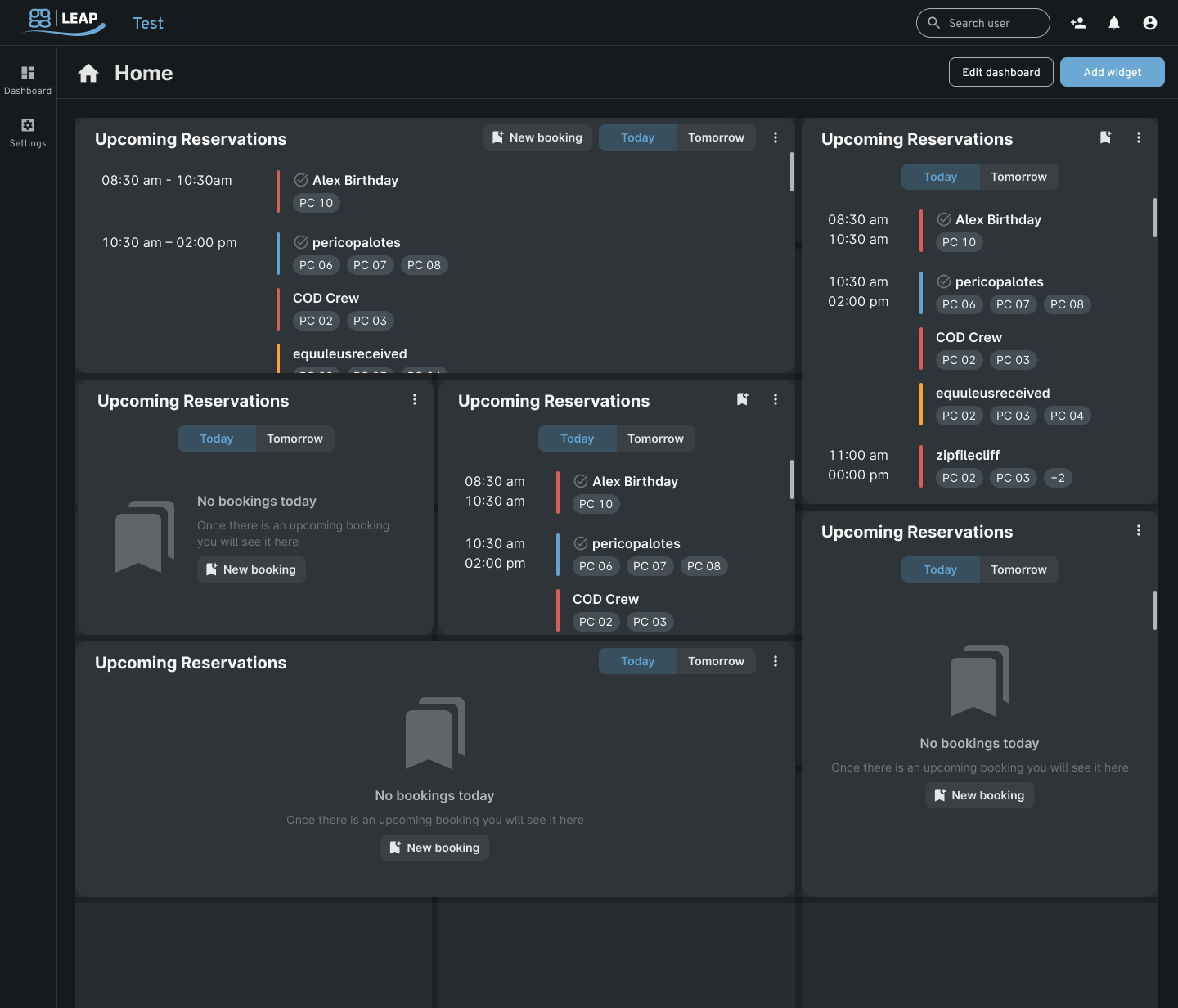
Esports venues can manage or create bookings in this widget. In addition, admins will be able to toggle between today’s or tomorrow’s booking schedules.
Active Orders
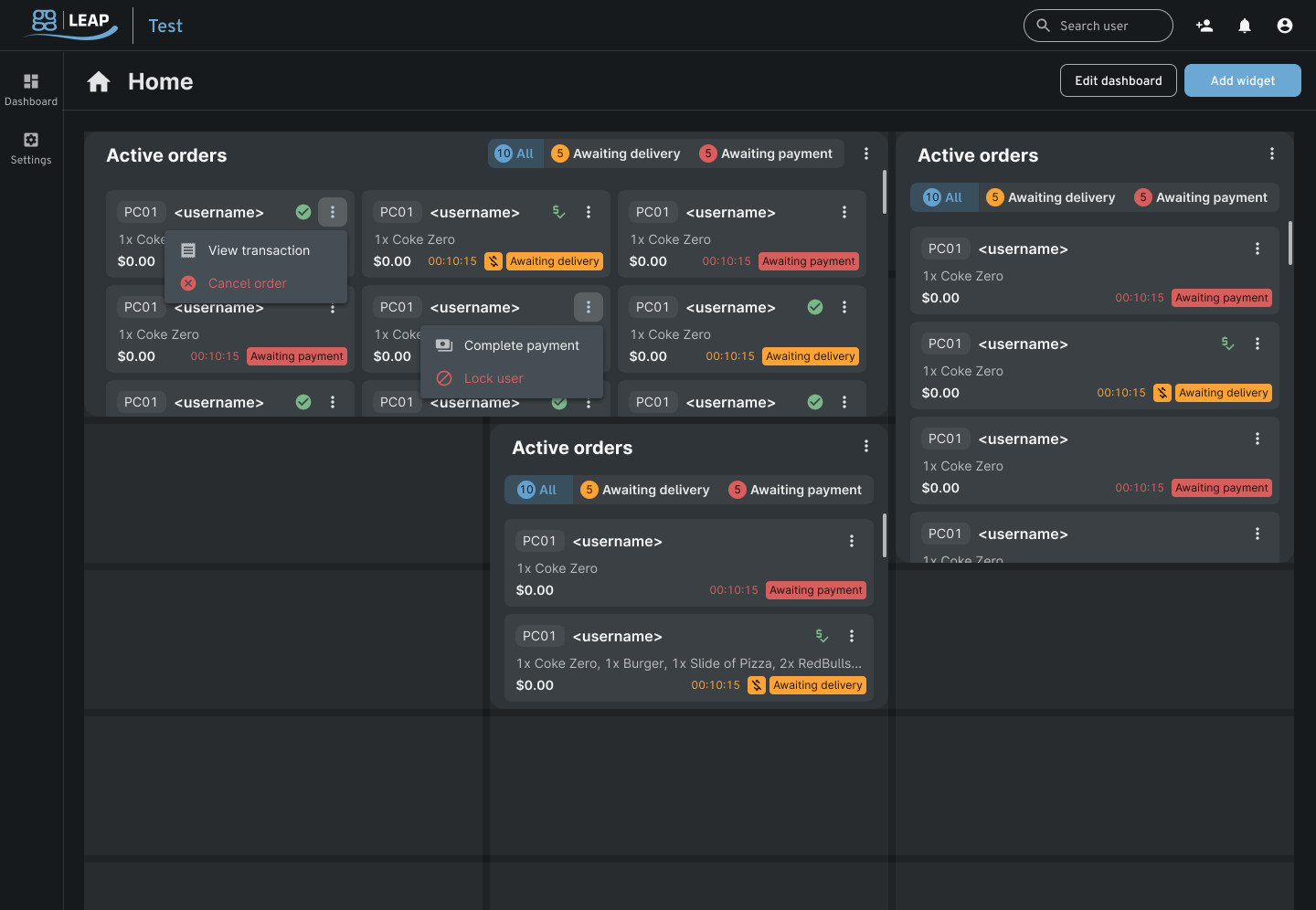
The Active Orders widget will enable a center employee to monitor and facilitate client orders. The orders are displayed from the oldest to the newest and will have the following status depending on the type: awaiting delivery, awaiting delivery (post-pay), and awaiting payment.
ggCrypto
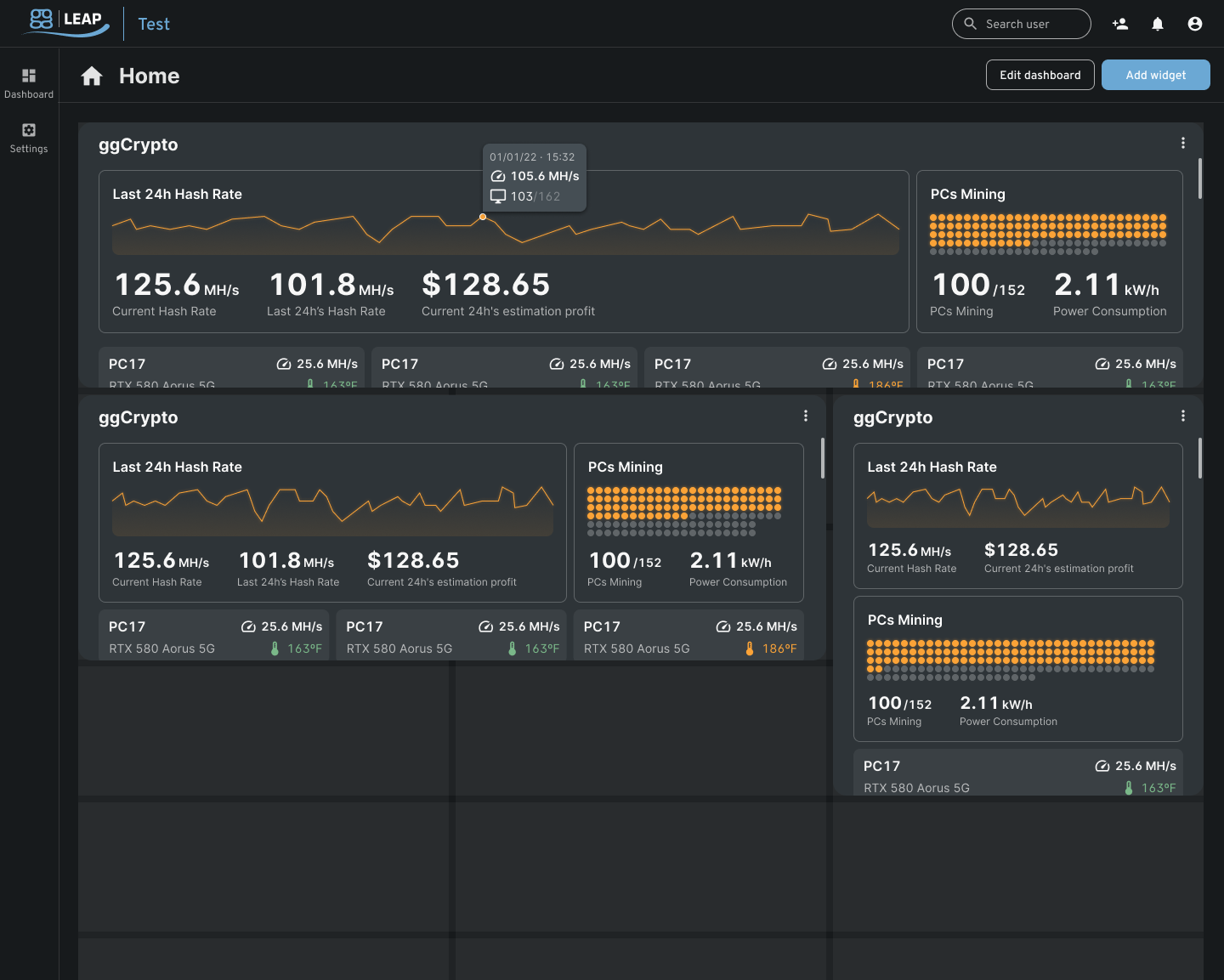
Esports venues that opted to use the ggCrypto feature will be able to monitor their mining operations here. The widget will display details such as the current day’s and yesterday’s hash rate, estimated profit, power consumption, and the number of mining PCs.
Each mining PC (shown via a “PC card”) will be listed, and information about the temperature of the GPU can be seen here.
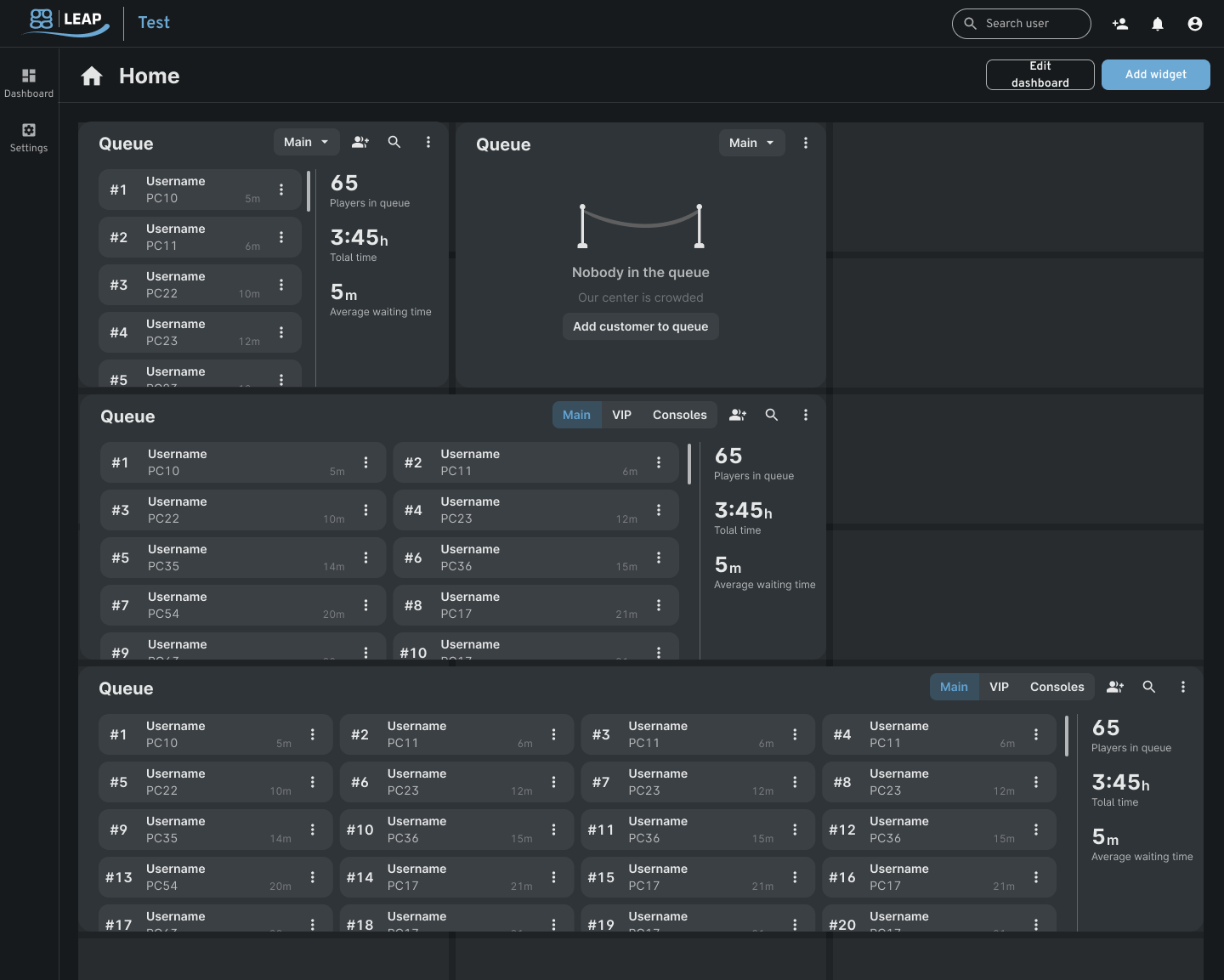
Queue
ggCircuit’s network statistics show that there are currently over 2 million active players worldwide. This data indicates that there might be a massive volume of customers wanting to play with their friends in a social setting such as an esports venue.
We have added this widget and feature for centers that want to keep tabs on their waiting list. Employees will be able to list down players waiting for a seat. The Queue widget will also show the total number of waiting customers.
Click here to test the ggLeap client!
Just Another of the Many Features of ggLeap
The Dashboard Widgets are just one of the many software tools and features that ggCircuit released this year. We hope you find this article helpful, and please make sure to get in touch with our support team for questions about this feature.
Stay tuned for more, and in the meantime, be sure to check this article for general information about our recent releases.